Patient registration and queue management for Kenyan facilities

Reception finds the patient by name, phone or ID number, checks them in in one step, and the patient moves from triage to the consultation room in the right order. Every screen after that knows who they are and what the visit is for.

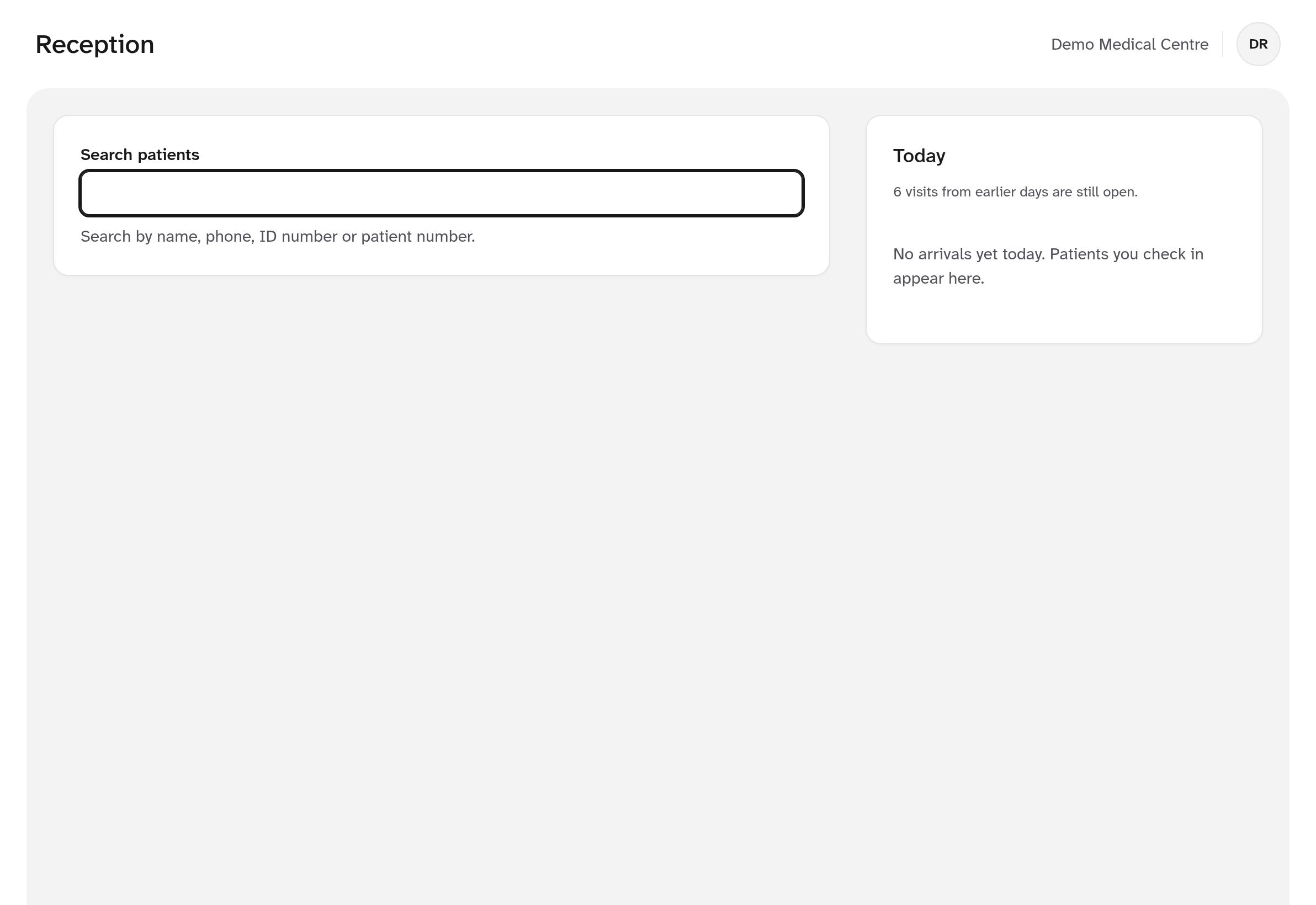
The reception screen with one search field for name, phone, ID number or patient number, and a panel of today's arrivals

What it does

From the front desk to the consultation room

Search before you register

One field searches by name, phone, ID number or patient number as you type. Each result shows enough to tell two people apart.

Duplicate checks

Same identifier, same phone, or a close name and date of birth raises a warning. Merging records is a separate, permissioned and audited action.

Dependants

Register a child against a parent's or guardian's record with the relationship, and check them in from the parent's record.

Check-in and queues

Check-in opens the visit and puts the patient in the first queue. "Call next" orders by triage category, priority flags, then arrival.

Triage with vitals

Impossible values are refused with a message. Values outside the ranges your clinical lead sets are flagged in words, not blocked.

Consent recorded

Data-sharing consent is recorded at registration, can be withdrawn with a reason, and every decision is kept in the history.

A front desk that keeps moving

Reception works from one search field and the keyboard. Nurses and clinicians see the same patient banner, with allergies always stated in words, the moment a patient is selected.

  • Phone numbers normalised to one Kenyan format, so searches match
  • A daily ticket number for each patient at check-in
  • Two staff pressing "Call next" together always get different patients
  • Priority flags such as elderly or pregnant, set from your own list
  • Consultation fee charged at check-in for cash patients
Ticket numbers onlyThe waiting-area display never shows names, ages or categories.
Ctrl KPatient search opens from any screen with one shortcut.

Questions

Registration questions

Does it connect to the national Client Registry?

It is built to search, register and update patients in the Client Registry through the official AfyaLink APIs, with every decryption of a registry record audited. It is being tested against test services now and goes live after Digital Health Agency onboarding.

What if the Client Registry can't be reached?

The patient is still registered in your facility and queued for registry sync. The screen says so plainly and the visit carries on.

How does it stop duplicate patient records?

Registering a new patient only starts after a search. Before saving, it checks for the same identifier, the same phone number, or a close name with the same date of birth, and the receptionist either picks the existing patient or confirms a different person with a reason.

What does the waiting-area display show?

Only ticket numbers and where to go. No names, ages or triage categories appear on the public screen.

See it with your own workflow

Book a demo and we'll walk through a full patient visit, from registration to payment and the SHA claim, using your facility's services and prices.